
 Verification Guide
Learn how to verify your Udyam Registration Certificate online, what details you can check, why it matters, and how to fix common verification errors.
The official Udyam Registration Certificate is a legal, government-issued proof that your business has MSME status in India. However, merely registering is not enough. If you want the full benefits for your business, make sure your Udyam certificate is verified. Any bank, government department, or corporate buyer that wants to work with an MSME will first check that its certificate is legitimate, and Udyam verification establishes that trust.
This guide covers how you can verify your Udyam certificate online, why it's important to keep it updated, and how to fix errors that occur during verification.
What Is Udyam Registration Certificate Verification?
Udyam Registration Certificate verification is a process through which MSMEs can verify and authenticate their Udyam certificate against the live database maintained by the Ministry of Micro, Small and Medium Enterprises. Whether you've shared your Udyam number to take a loan from a bank, or you simply want to check your own MSME registration, you can visit the official Udyam Registration Portal to verify your certificate.
Online Verification Process for Udyam Registration Certificate
Here is a step-by-step process to verify your Udyam Registration Certificate:
Step 1: Go to the Official Udyam Portal
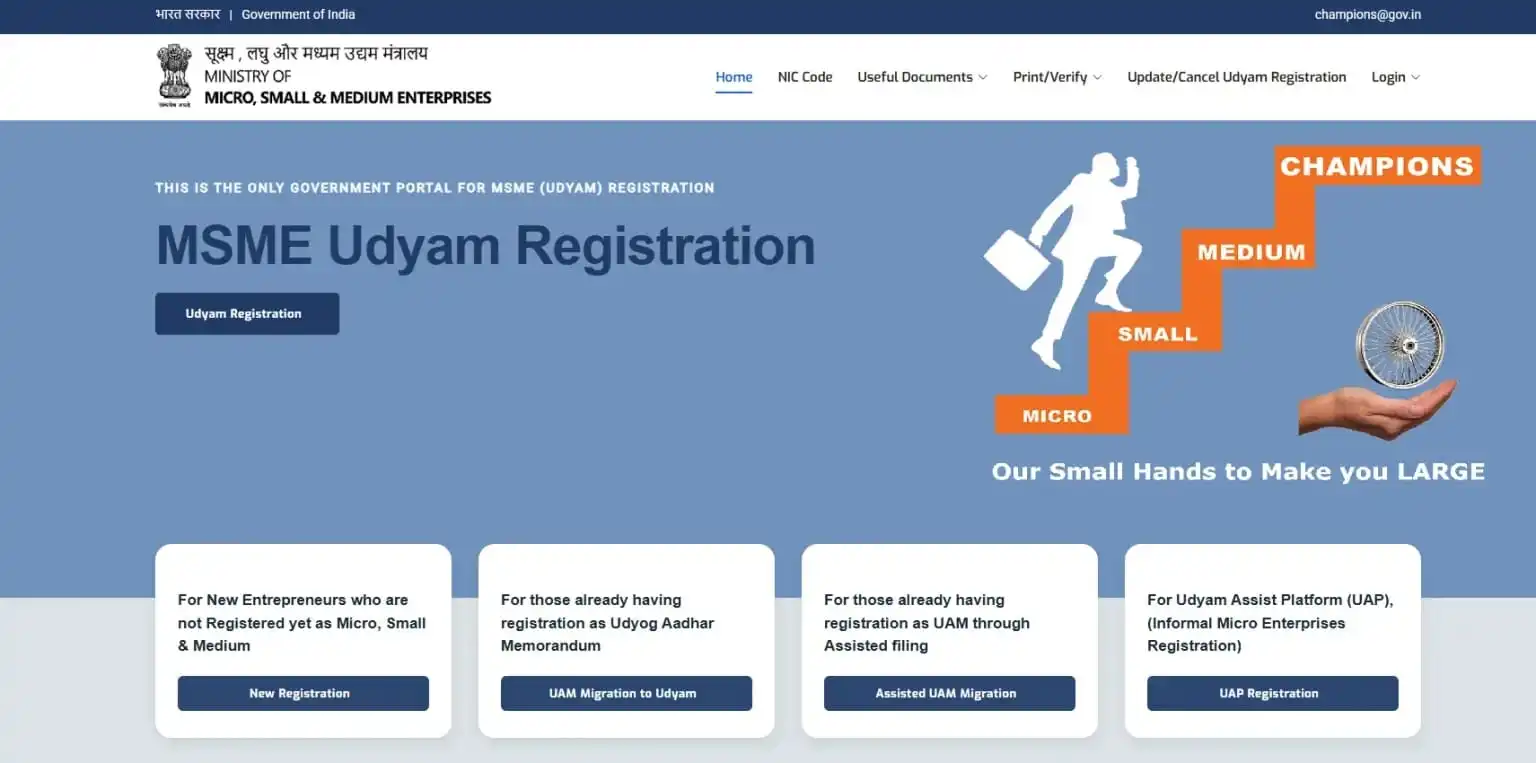
Open the official Udyam Registration portal to verify the certificate.
Step 2: Navigate to the Verification Section
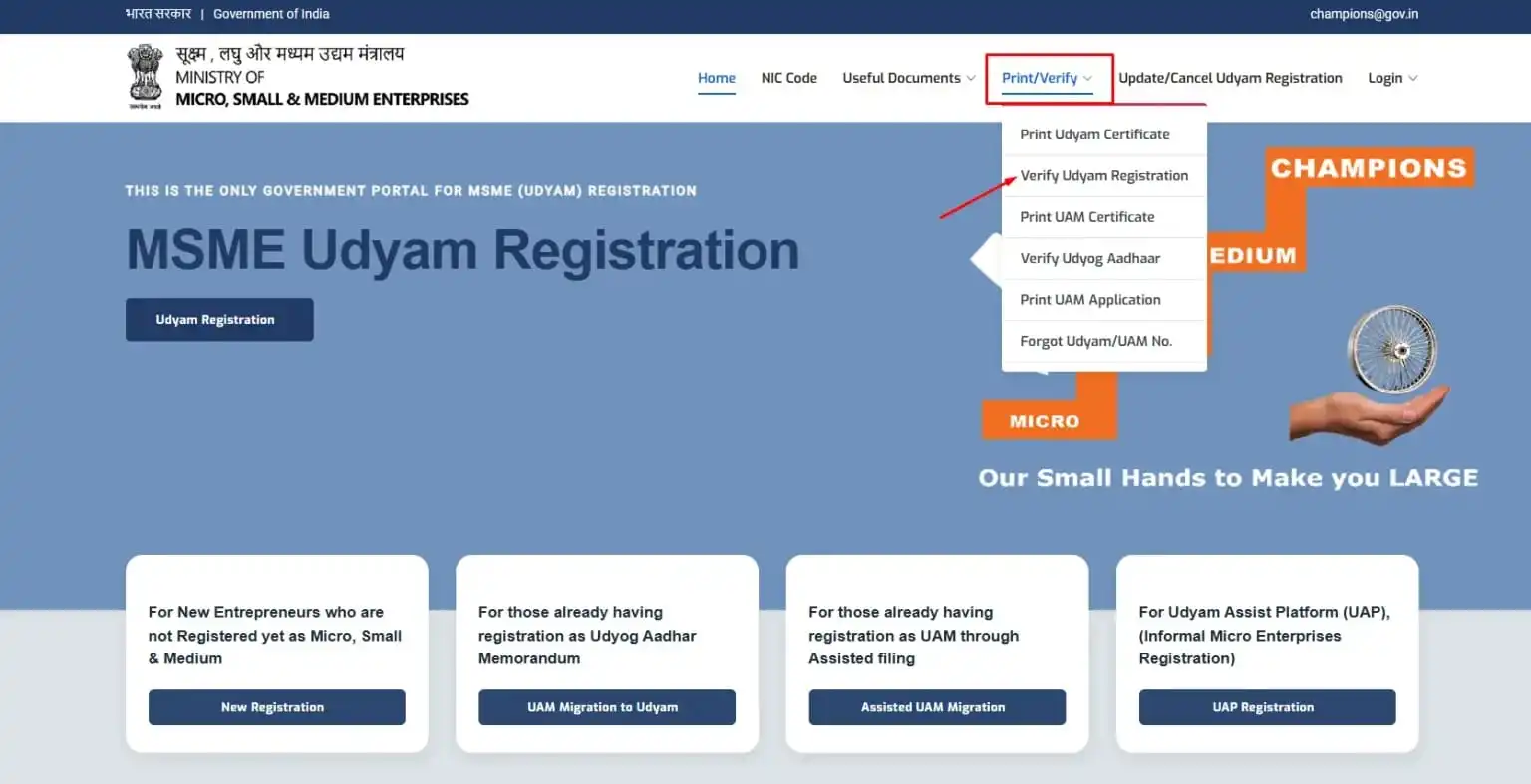
On the home page, you will see the "Print/Verify" option; click there. After that, a new menu will open in which you have to select the "Verify Udyam Registration" option.
Step 3: Enter Your Udyam Registration Number
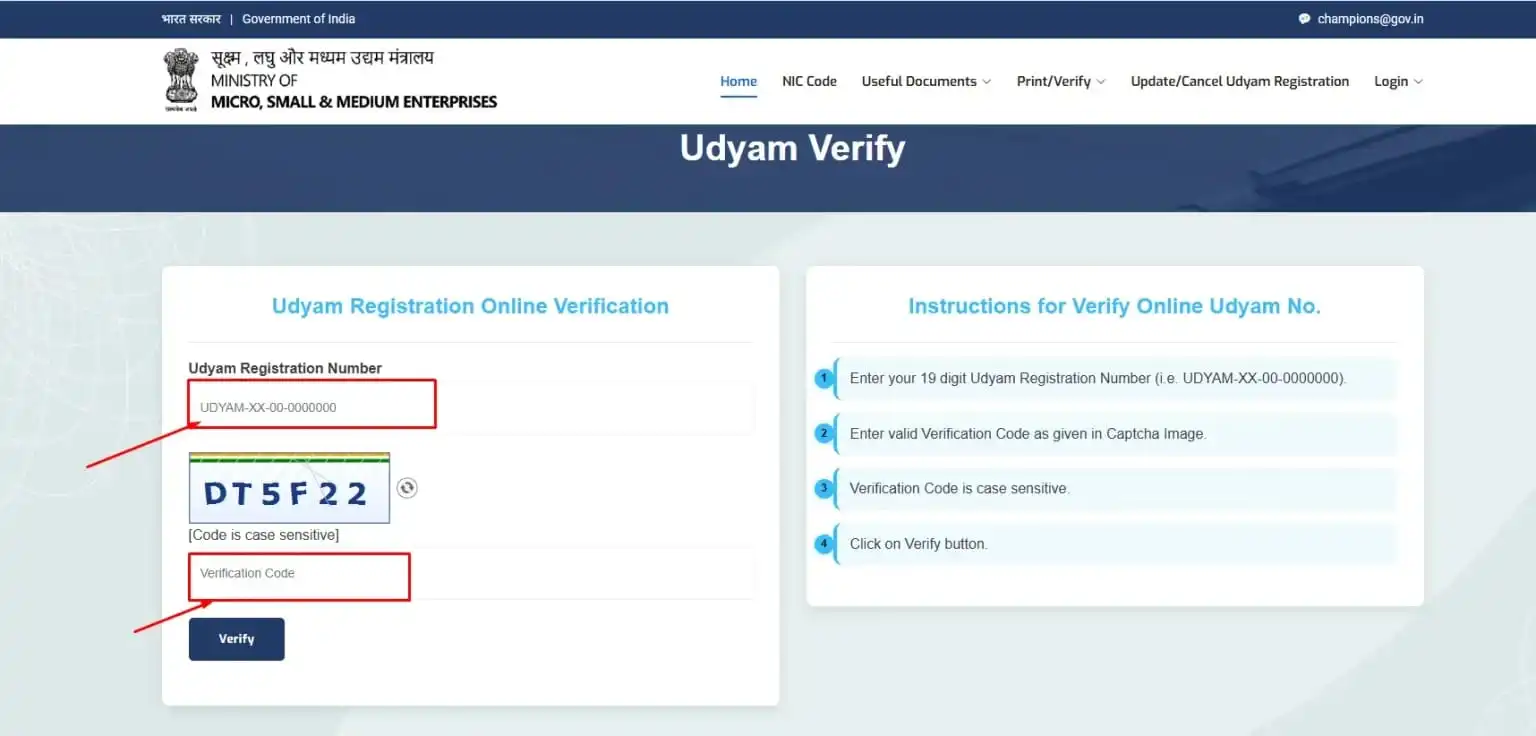
A new page will open on your screen; fill in your 19-digit Udyam Registration Number (URN) followed by the verification code (CAPTCHA) displayed on the screen. Finally, click the Verify button.
Step 4: View the Verification Result
Once you have entered your Udyam Number and clicked the Verify button, your details will appear on the screen as a registered enterprise, including the business name, business type (micro, small and medium), business activity code (NIC Code), registration date, and whether the status is active or inactive.
If you don't see any results after clicking Verify, it could mean the registration is fake or the details you have entered are wrong.
What Do You Need Before Verification?
You need only two things before you start the verification process:
- Your Udyam Registration Number (URN)
- A stable internet connection
Having these ready saves you from repeated attempts and failed CAPTCHAs.
What Information Can You See After Successful MSME Verification?
| Detail Shown | Description |
|---|---|
| Business Name | Registered name of the enterprise |
| Udyam Registration Number | The verified URN |
| Enterprise Category | Micro, Small, or Medium |
| Business Type | Proprietorship, partnership, LLP, or company |
| Registration Date | Date the certificate was issued |
| Registration Status | Active or inactive |
| Business Address | Registered business location |
Why Should You Check Your Udyam Registration Certificate?
Skipping MSME verification online can hurt you at the moment you need the Udyam certificate most. Here's why it matters:
- Confirms authenticity: Verification helps ensure that your Udyam Registration Certificate is genuine and has not been altered.
- Checks registration status: Shows whether your Udyam Registration is active and valid.
- Finds incorrect details: Helps you check your business name, address, enterprise category, and other information, and update your Udyam certificate if you find any mistakes.
- Supports loan applications: Banks and financial institutions may verify your MSME registration while processing business loans.
- Helps with government tenders: Many government departments verify your Udyam Registration Number (URN) before accepting applications.
- Access to MSME schemes: A verified certificate may be required while applying for government schemes and subsidies.
- Builds business trust: Customers, suppliers, and business partners are more likely to trust a business with a verified registration.
- Makes verification easier: Saves time when banks, government offices, or other organisations ask for your registration details.
Benefits of Verifying Your Udyam Registration Certificate
- Business credibility: A verified certificate reassures buyers and partners that your business is legitimate.
- Easier loan applications: Banks process MSME loans faster once they check Udyam registration status.
- Access to government schemes: Verified businesses get the benefit of government schemes exclusive to Udyam-registered MSMEs.
- Subsidy eligibility: Patent, trademark, and certification subsidies depend on the certificate's active status.
- Tender participation: Procurement portals also require a verified MSME certificate.
- Better customer trust: A verified certificate shows you're a properly registered business on the Udyam portal.
- Faster document checks: Banks and vendors skip manual checks once the URN is confirmed instantly.
Common Errors During Verification
- Wrong URN: Even one wrong letter or digit in the URN can give a "not found" result.
- Incorrect CAPTCHA: Remember it's case-sensitive, and retype carefully if it fails.
- Typing mistakes: Extra spaces or missing hyphens in the URN cause mismatches.
- Invalid registration number: An expired UAM number won't be verified under Udyam.
Conclusion
Verifying your Udyam Registration Certificate takes only a few minutes and confirms that your business status is real and current. Always verify your certificate on the official Udyam portal before using it for bank loans, government tenders, or government schemes.
Need help with a new Udyam Registration, Udyam certificate download, editing/updating an existing certificate, or the verification process itself? Our team can help you get it sorted.
Frequently Asked Questions (FAQs)
Is Udyam Registration Certificate verification free?
Yes, verification on the official Udyam portal costs nothing.
Can I verify my certificate without a URN?
The Udyam registration number (URN) is required to verify the Udyam certificate. If you don't have it or have forgotten it, you can retrieve it using your registered mobile number through the Forgot Udyam Registration Number section.
Is it mandatory to always verify the Udyam certificate?
No, it's not necessary to verify it for daily operations. However, whenever you're going to take a loan from a bank, apply for a tender, or want to avail of any scheme, you should definitely check the verification, as an active certificate is required.
Can I verify an old Udyog Aadhaar memorandum?
Yes, you can verify an old Udyog Aadhaar from the official Udyam portal. To verify, first click on the Print/Verify option, then "Verify Udyog Aadhaar".
How long does it take to complete Udyam verification?
You can see the results instantly once you have entered your Udyam registration number and captcha correctly.
Can I download my Udyam certificate after verification?
Yes, you can download your certificate as a PDF by going to the Udyam registration portal and clicking Print Udyam Certificate. You can also take a printout of it.